
A complete video-path method for comparing analog and digital cinewhoops while separating pilot view from final recording.
Choose an analog cinewhoop video system or a digital setup by mapping the complete path: onboard FPV camera, transmitter, antennas, receiving goggles, optional recording point, and any separate action camera. A digital whoop drone or HD cinewhoop may still use a separate camera for 4K cinewhoop footage. None of those terms alone proves what the pilot sees or which device creates the final file.
Start with equipment you already own. If you have goggles, write down their exact model, receiver/module and supported modes. If you have no FPV equipment, compare the cost and contents of the complete aircraft-to-goggles chain. Then decide whether the pilot view, the final recording, or both must meet an image requirement. This prevents “digital” from becoming a shortcut for an incomplete system.
| Your situation | First candidate | Do not proceed until |
|---|---|---|
| Existing analog goggles/receiver and no requirement to replace them | Documented analog build | The receiver mode, channel practice and required final recorder are identified |
| Existing named digital goggles | A matching digital air unit/build | Exact generation/mode support and activation/update responsibility are confirmed |
| No goggles or receiver | Compare complete analog and digital packages | Aircraft, goggles, radio, antennas, power and recording costs are on the same scope |
| Final 4K file required | Either system may remain possible | The exact device that creates the file, its mount and original sample are identified |
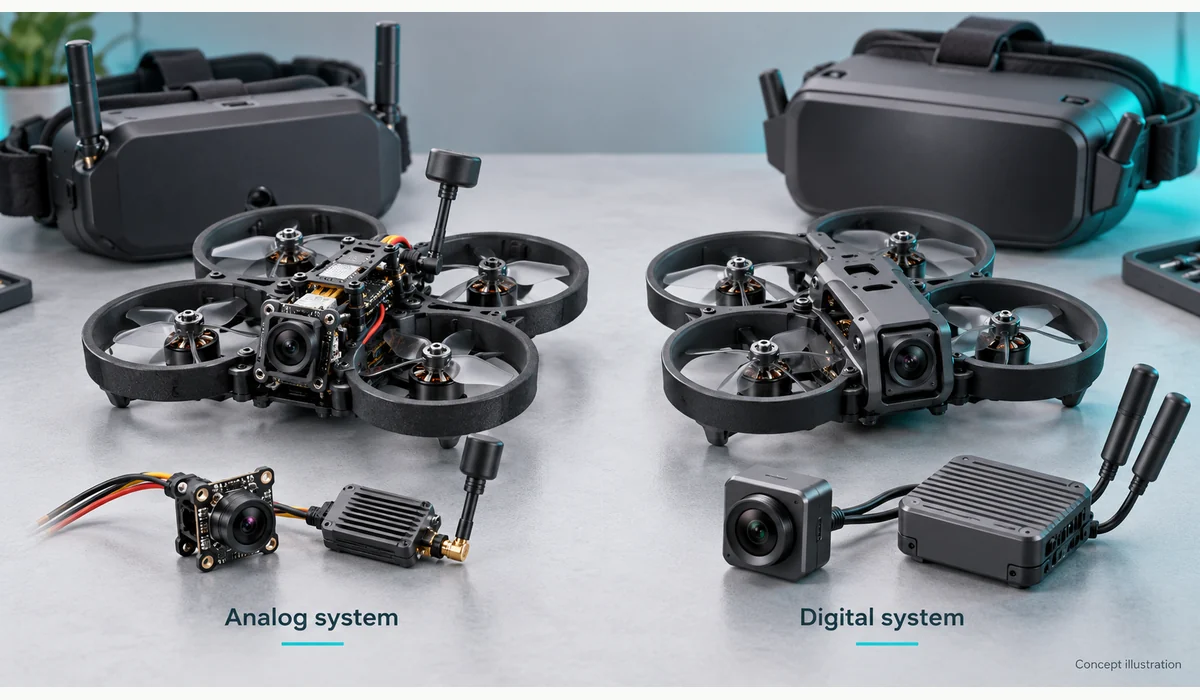
The pilot’s live FPV feed supports piloting. The final footage may instead come from an onboard recording camera. Some systems may also record the FPV feed, but buyers must verify where the file is created, its settings, and whether overlays are present.
This distinction is essential when a product promises 4K cinewhoop footage. The claim may refer to a separate onboard camera while the live view uses another resolution and link. Ask for a block diagram and original files from each recording point.
| Decision | Analog cinewhoop video | Digital whoop drone or HD cinewhoop | Buyer evidence |
|---|---|---|---|
| Existing goggles | May fit an existing analog receiver setup | Must match the named digital ecosystem and version | Exact goggle/receiver model and supported mode |
| Airframe space | Camera, VTX, antenna, and wiring still need clearance | Module size, cooling, antenna, and wiring must be checked | Installed photos and component dimensions |
| Recording | Separate action camera or DVR may be used | Onboard or goggle recording may exist, depending on system | Original file and capture-point label |
| Fleet support | Spares and channel practices matter | Ecosystem-specific modules and activation/update processes may matter | Approved parts list and support procedure |
| Upgrade | Receiver equipment can constrain the practical choice | Changing ecosystem may replace multiple components | Whole-fleet replacement list |
Do not treat the table as a universal quality ranking. An analog cinewhoop, HD cinewhoop, or digital whoop drone still depends on its exact configuration and operating conditions for image behavior, latency, range, regulatory settings, and recording capability.
A cinewhoop has limited internal volume. The offered video system must fit without obstructing propellers, deforming guards, pinching wires, or placing antennas where the documented installation forbids them. Ask for photos of the actual build, not only component catalog images.
Record the FPV camera, transmitter, antenna, power input, mounting method, firmware/version, and any heat-management requirement. Verify the recording camera separately. This focus on onboard packaging is different from choosing a video ecosystem for a large multi-aircraft FPV fleet.
List each existing goggle or receiver model, module, antenna, firmware, and connector. Then ask the supplier to mark the offered configuration as confirmed, conditional, unsupported, or not yet tested. A shared brand name is insufficient when generations or modes differ.
For an illustrative example, a team owns six analog receivers used by trained operators and needs a compact aircraft for a short indoor route. Reusing that equipment may simplify the handover. Another team needs an HD cinewhoop workflow and has no legacy receiving equipment. The second team can compare digital ecosystems from a clean starting point. Neither case proves that one technology is universally preferable.
Use the completed card to reach a decision: reuse the existing ecosystem when every interface is documented and the recording workflow meets the job; replace the chain when a different ecosystem requires new goggles, air units or support stock; hold when the offered generation, recording point or complete cost remains unknown. Resolution language alone cannot resolve those gaps.
Complete one card per configuration:
Run the check with the exact supplied or nominated receiver. Label every sample file with its capture point; a ground-screen recording is not interchangeable with an onboard master.
DJI’s O4 page separates onboard recording, live transmission and goggles compatibility. Map those functions for the offered system before choosing an analog or digital configuration.
Before asking for a quote, identify the existing goggles and required recording workflow in the parts inquiry checklist. Map each live-view, resolution, and recording claim to the named hardware and capture point. Contact DroneNook with those details for a configuration-scope review. Review the Cinewhoop reference configurations and confirm the exact installed video and control equipment in the quotation.